How to Clean the IQOS ILUMA i Prime Leather-Like Wrap, Screen and Metal Frame
This guide covers what actually needs cleaning on the IQOS ILUMA i Prime and what does not, using the device's own materials and induction system as the starting point. You get a step-by-step method for the leather-like wrap, the metal frame and the touch screen, plus the habits that void the local warranty.
Why the ILUMA i Prime Needs a UAE-Specific Cleaning Routine
If you have searched for IQOS ILUMA Prime leather cleaning advice, the short version is that the wrap, the metal frame and the touch screen each need a different method, and mixing them up is what shortens the life of the finish. Dubai and Sharjah summers push the surface temperature of a device left in a parked car well past 45 degrees Celsius, and fine desert dust works into every seam and swipe gesture. None of that heat or dust damage is covered once the wrong cleaning product has touched the finish, so getting the routine right matters more here than in cooler markets.
Two things wear an ILUMA i Prime down faster than normal handling. The glass touch panel that controls Pause Mode and shows your FlexPuff status picks up a film of fingerprint oil and fine dust that slows down swipes; if your gestures start lagging, that is almost always a cleaning problem rather than a fault with the device. The second is heat: in UAE summer conditions, warmth causes the pores of the leather-like wrap to open slightly, letting sweat, sunscreen and hand oils sink into the fabric. Left there, they cause discolouration or trapped odour that a quick wipe will not undo later.
Do You Need to Clean Inside the ILUMA i Prime Holder?
No, and this is the mix-up we hear most often from owners who are used to older IQOS models. The SMARTCORE INDUCTION SYSTEM inside the ILUMA i Prime is entirely bladeless, and because the tobacco stays sealed inside the TEREA stick itself, no residue is left behind in the holder. There is nothing inside the holder to clean.
Do not carry over habits from earlier devices. Legacy IQOS cleaning brushes and alcohol cleaning sticks were never designed for this holder, and pushing either one inside can damage the induction sensors that heat the stick. The only maintenance the inside of the device genuinely needs is a periodic check of the USB-C port and the charging contacts, where lint or the fine humid dust common in the UAE can build up and slow down charging.
Know Your Materials Before You Reach for a Cloth
Cleaning the ILUMA i Prime well starts with knowing what you are actually touching, because each surface reacts differently to the same product.
- Touch screen: a glass capacitive panel, similar in feel to a smartwatch screen
- Metal frame: high-grade anodised aluminium with a UV-resistant coating built for the UAE sun
- Wrap: a leather-like, recycled synthetic fabric, not genuine animal leather, so it needs pH-neutral care rather than a leather conditioner
The Step-by-Step Method for Screen, Frame and Wrap
Start with a cool device. Never clean an ILUMA i Prime straight after a session, and never clean it right after it has been sitting in a parked car or in direct sun. Heat opens up the material's pores, so wiping it down, even with a dry cloth, while it is still warm can streak the metal finish or warp the wrap.
If a swipe on the touch screen stops registering at any point, do not assume the device itself has failed. Oils and dust on the glass are the number one cause of gesture failure on the ILUMA i Prime, so clean the screen thoroughly and try the gesture again before you consider anything more serious.
- Screen: wipe with a dry microfiber cloth in a gentle circular motion; this lifts the oil film that blocks your swipe gestures and restores Pause Mode responsiveness
- Metal frame: a dry wipe is enough for daily care; skip liquids and chemical cleaners, which strip the UV-resistant coating and leave the metal looking dull in the sun
- Leather-like wrap: use a slightly damp, pH-neutral cloth and dab rather than rub, then let it air-dry indoors in an air-conditioned room, never in direct sun
- Avoid genuine leather creams, oils or waxes on the wrap; they are formulated for animal hide, not this synthetic fabric, and will leave it sticky and change the texture
Cleaning Tips for Each ILUMA i Prime Colour
The five ILUMA i Prime finishes do not show wear the same way, so how often you wipe one down should change with the colour.
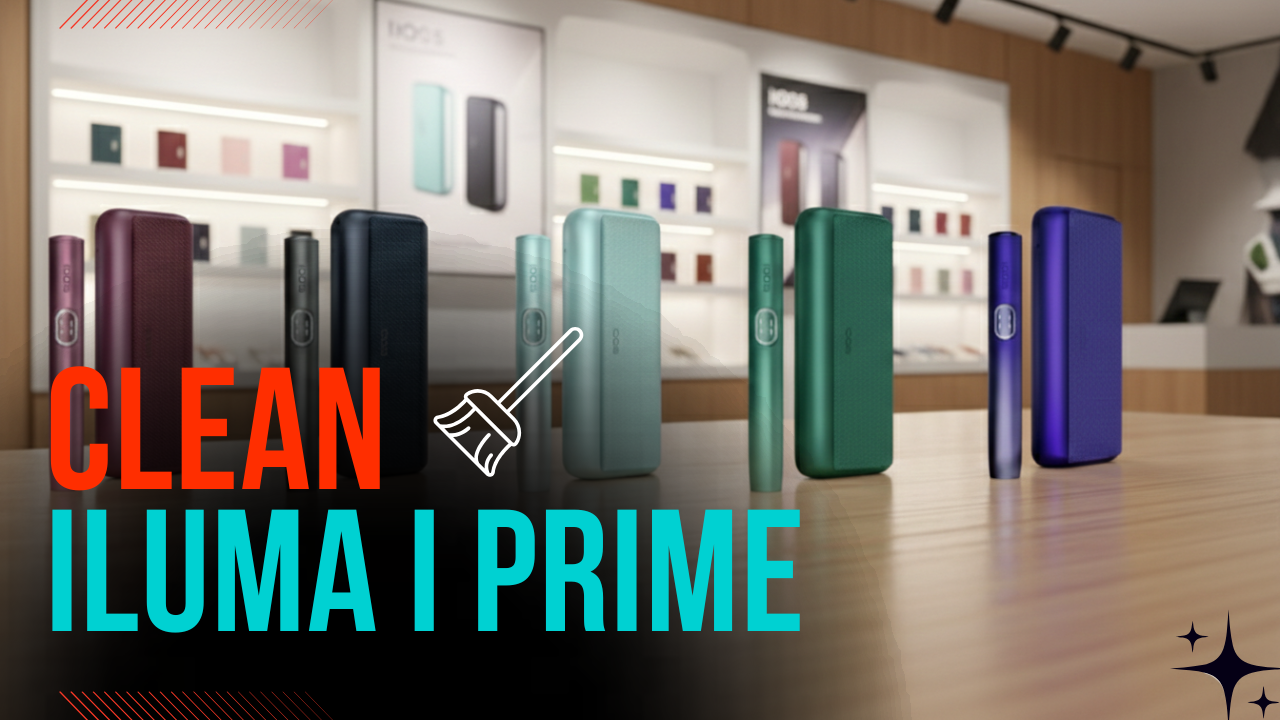
- ILUMA i Prime Aspen Green: prone to colour transfer from dark denim, so clean weekly to stop staining setting in
- ILUMA i Prime Breeze Blue: the lighter tone shows oil marks quickly, so frequent light wiping keeps it looking clean
- ILUMA i Prime Electric Purple: the light-reactive coating makes fingerprints highly visible in sunlight, so a dry cloth wipe daily is worth the ten seconds
- ILUMA i Prime Garnet Red Purple: the deep tone hides everyday dirt well, but can fade if it sits in direct afternoon sun for long periods
- ILUMA i Prime Midnight Black: the most resilient finish to general wear, though it shows white dust easily, so a five-second daily wipe keeps it looking sharp
Protecting the Device Through Dubai's Humidity Season
Heat is not the only factor at play. During the high-humidity months of August and September, moisture can work its way into the fabric texture of the wrap, on top of the breakdown that extreme heat already accelerates in the decorative coatings.
- Storage hack: if you are outdoors often during these months, a silicone sleeve adds a useful layer of protection
- Golden rule: never store the device near a window or on a car dashboard, where heat and direct sun both concentrate
Cleaning Products That Damage an ILUMA i Prime, and What the Warranty Will Not Cover
Some everyday products cause more damage than the dust and heat they are meant to fix.
It is also worth knowing where the manufacturer draws the line. The standard UAE warranty runs for 12 months, extendable to 24 months if you register the device within 30 days of purchase, but fading, scratches or chemical damage caused by the wrong cleaning product are treated as user-induced and are not covered.
- Hand sanitiser: alcohol-based sanitiser slowly breaks down the UV-resistant coating, so keep it off the device and let your hands dry fully before you pick it up
- Wet wipes: gym or car wipes often carry harsh chemicals that make the leather-like wrap peel
- Phone or screen cleaners: many contain ammonia, which can damage the glass touch interface on the i series
A 30-Second Nightly Routine That Keeps the Finish Looking New
Run through this three-step routine every evening and it becomes automatic within a week.
- The screen polish, 10 seconds: dry microfiber cloth, circular motion, keeps Pause Mode responsive
- The heat-check wipe, 10 seconds: a dry wipe over the metal and the wrap, before overnight sweat or sunscreen residue can set in
- The connection clear, 10 seconds: a light blow into the charging pins and USB-C port stops humid dust from building up
Ordering ILUMA i Prime Devices and TEREA Sticks in the UAE
A clean device is one thing, but a worn-out wrap or a battery that no longer holds charge is a different conversation. TEREA 365 delivers IQOS ILUMA devices, TEREA sticks, HEETS and RELX pods across the UAE. Orders in Dubai, Sharjah and Ajman arrive within 1-2 hours; everywhere else in the UAE, delivery takes up to 24 hours, with cash or card on delivery.
To order, message TEREA 365 on WhatsApp at +971561652004 with the device or stick flavour you need, and we will confirm current stock and delivery time.
Frequently asked questions
How do I clean my IQOS ILUMA i Prime without damaging it?
My ILUMA i Prime will not unpause or resume. Is it broken?
Why is my ILUMA i Prime charging slowly?
How do I remove a stain from the Aspen Green leather-like wrap?
Can I use window cleaner on a foggy ILUMA i Prime screen?
Why does my ILUMA i Prime feel sticky after being left in the car?
Related searches
iqos iluma prime cleaningiqos iluma prime leather coveriqos iluma prime how to useiqos iluma prime leather like wrapiqos iluma cleaningiqos iluma i cleaningiqos iluma prime how to unpauseiqos iluma prime how to cleanhow to pause iqos iluma primehow to unpause iqos iluma primehow to use iqos iluma primehow to use iqos iluma i primehow to reset iqos iluma primehow to clean iqos iluma prime