IQOS ILUMA Firmware Update: Does It Really Change Your Session?
An iqos iluma firmware update rarely adds a visible new feature, but it quietly resets how the device manages heat, power and stick recognition. This guide explains what firmware actually controls on ILUMA i devices, where updates make a real difference, and where cleaning or hardware still matter more.
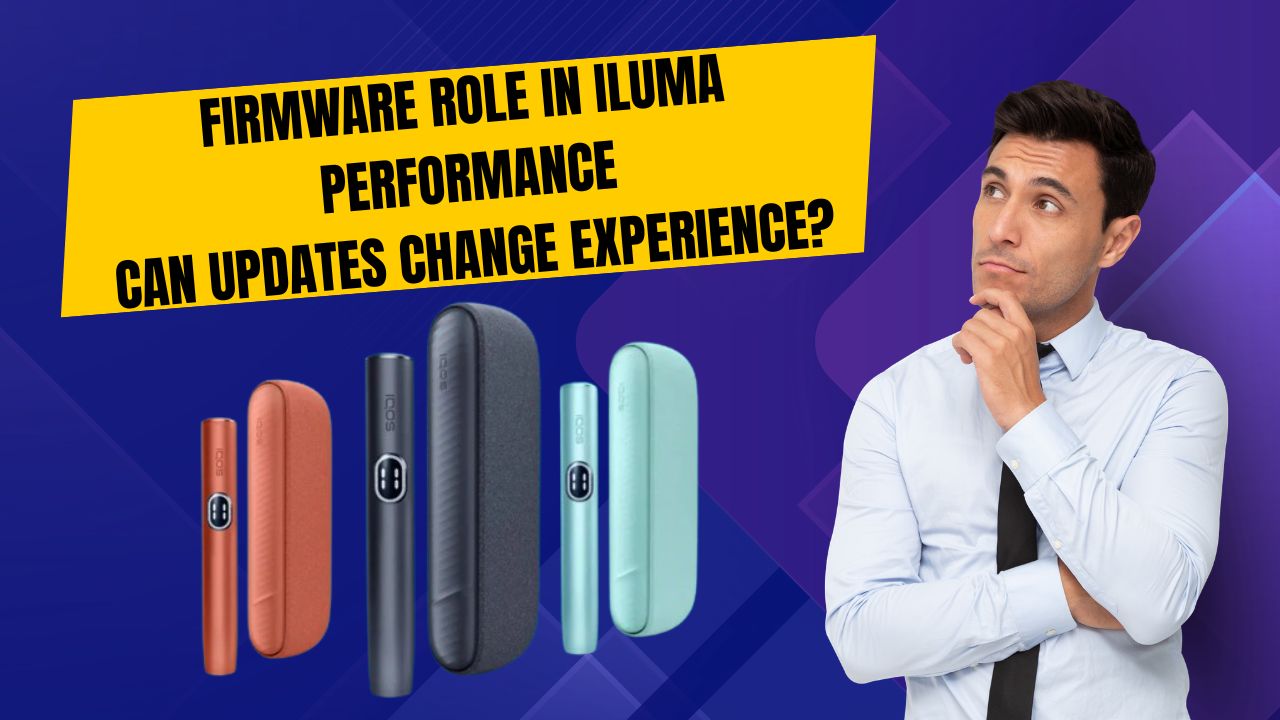
What Does Firmware Actually Control on an IQOS ILUMA i?
An iqos iluma firmware update might sound like routine background maintenance, but firmware is the embedded software running inside every ILUMA device from the moment you press the button. You never open it the way you would a phone app, yet it sits behind almost everything the device does.
On an IQOS ILUMA i, IQOS ILUMA i Prime, IQOS ILUMA i Standard or IQOS ILUMA i One, firmware is what governs heating logic, session timing, stick recognition and the safety protocols that stop a device overheating or short-circuiting. Hardware supplies the coil, the battery and the sensors; firmware decides how and when each of them switches on.
- Heating logic - how and when the tobacco is heated
- Session timing - how long a session runs and when it ends
- Stick recognition - detecting whether a TEREA stick is seated properly
- Safety protocols - guarding against overheating, short circuits or misuse
Why Does ILUMA Depend on Firmware More Than Older IQOS Devices?
Older IQOS devices heated tobacco with a blade, so a good part of the heating job sat with the hardware alone. IQOS ILUMA i devices use Smartcore induction heating instead, meaning there is no blade physically touching the stick and no single fixed heating element doing the work by itself.
Because heat comes from electromagnetic induction rather than direct contact, the whole process has to be managed digitally: the exact temperature curve, how quickly heat ramps up at the start of a session, how steadily it holds through each puff, and when it should ease off. That sequencing is firmware's job, not the coil's.
In UAE conditions, where ambient temperatures already run high for much of the year, this digital balancing act carries a bit more weight. Firmware has to keep internal heat where it belongs without letting outside heat push a session off course.
What Actually Happens When an ILUMA Device Gets a Firmware Update?
A firmware update is closer to a recalibration than a cosmetic upgrade. The change usually falls into one of a few categories: an adjustment to the heating algorithm, a fix for a known bug, a tweak to battery efficiency, or a general improvement to stability and responsiveness.
Most of these changes are invisible in the sense that nothing new appears on the device itself. There is rarely a new icon or setting to notice. What changes instead is how the session feels - smoother draws, steadier heat, and a device that behaves the way you expect more consistently than before.
Where Will You Actually Notice a Firmware Update on ILUMA?
Four areas tend to shift the most after an update, and daily users in Dubai, Abu Dhabi and Sharjah are usually the first to notice.
- Heating consistency - firmware stabilises heat delivery and reduces the fluctuation between sessions, so the tenth puff of the day feels closer to the first
- Flavour delivery - temperature control is tied directly to taste, and better heating precision can sharpen flavour clarity, which is easiest to notice switching between options such as TEREA Amber, TEREA Blue, TEREA Green and TEREA Purple Wave
- Battery efficiency - updates can adjust power draw during heating, idle consumption and charging behaviour, which shows up as more sessions per charge and fewer top-ups
- Device responsiveness - faster activation, more accurate stick detection and fewer interruptions mid-session, useful for anyone moving between meetings or sitting in Dubai traffic
Which Problems Can a Firmware Update Actually Fix?
Several of the more common ILUMA complaints trace back to firmware rather than a hardware fault, which is why an update is worth trying before assuming the device itself has failed.
- The device failing to detect a TEREA stick properly
- Sessions ending earlier than expected
- Uneven vapour production from one puff to the next
- Faster battery drain than usual
- Random shutdowns or general glitches
What Can a Firmware Update Not Fix?
It helps to stay realistic about the limits. Firmware is software, and no update reaches past the point where a problem is physical rather than digital.
In UAE conditions, with dust and heavy daily use, regular cleaning matters just as much as staying current on firmware. One does not substitute for the other.
- Physical damage or an internal component fault
- A battery that has simply aged or degraded over time
- TEREA sticks that are poor quality or have been stored incorrectly
- Airflow blocked by residue from a lack of cleaning
Should You Install Every ILUMA Firmware Update?
For most users the answer is yes, though it is fair to weigh both sides rather than assume that outright.
The downsides here are uncommon and tend to settle within a session or two. For someone using an IQOS ILUMA i daily in the UAE, keeping firmware current is the steadier habit compared with skipping updates and hoping performance holds on its own.
- Advantages: more consistent heating and flavour, fewer recurring technical issues, better reliability over the life of the device
- Possible downsides: a short adjustment period, and a slightly different heating feel immediately after the update
How Do You Update an IQOS ILUMA Device in the UAE?
Depending on where you bought the device and what is available in your area, an update can usually be done through an authorised IQOS store in Dubai or Abu Dhabi, the official app where it is supported, or a certified retailer or service point.
It is worth avoiding unofficial update methods altogether. Beyond the obvious risk of damaging the device, going outside official channels can void support and introduce the kind of software instability an update is meant to prevent in the first place.
A quick note on naming, since search terms vary: whether you are searching for an iqos iluma i firmware update, an iqos iluma i update firmware, or even under broader terms like iqos iluma x or iqos iluma q, what actually matters for the update itself is your specific model - ILUMA i, ILUMA i Prime, ILUMA i Standard or ILUMA i One.
Firmware or Cleaning: Which One Actually Matters More?
This comes up often enough to answer directly: neither one outweighs the other. Firmware manages internal performance, cleaning keeps airflow and hygiene in order, and a device only performs well when both are handled.
A device running the latest firmware but caked in residue will still draw poorly. A device that is spotless but running outdated firmware can still feel inconsistent from one session to the next. The two habits work together rather than as substitutes.
Watch for these signs that firmware needs attention: weak or muted flavour, heating that feels inconsistent session to session, battery drain that has become noticeably faster, slower response or stick detection, and random interruptions mid-session. These come up often enough among regular users in Abu Dhabi and Sharjah to check first, before assuming a hardware problem.
If you are working through this checklist and need a fresh supply of TEREA sticks for your ILUMA while you sort out an update, TEREA 365 delivers across Dubai, Sharjah and Ajman within 1-2 hours and to the rest of the UAE within 24 hours, with orders taken over WhatsApp on +971561652004 and payment by cash or card on delivery.
Frequently asked questions
Is IQOS ILUMA more dependent on firmware than older IQOS devices?
Can a firmware update change how a TEREA stick tastes in ILUMA?
Do IQOS ILUMA devices update firmware automatically in the UAE?
Is it safe to update ILUMA firmware yourself?
How often should I update my IQOS ILUMA i firmware?
Can I downgrade IQOS ILUMA firmware after updating?
Related searches
iqos iluma i firmware updateiqos iluma i update firmwareiqos iluma iiqos iluma xheets for ilumaterea ilumaheets ilumaiqos iluma qis iqos iluma