How Eco Mode Extends IQOS ILUMA i Battery Life
This guide explains what Eco Mode (FlexBattery) does to IQOS ILUMA i battery life, how to switch it on through the IQOS app, and which ILUMA i models support it. You will also find quick fixes for the app issues we hear about most from customers picking up devices in Dubai, Sharjah and Ajman.
What Eco Mode Actually Does to Your IQOS ILUMA i Battery Life
Eco Mode, which IQOS also calls FlexBattery, is a background setting that changes how your IQOS ILUMA i battery life holds up over months of daily charging, rather than how a single session tastes or draws. Switch it on once in the IQOS app and it keeps running quietly without asking anything else of you.
In normal mode, the device draws full power on every session. With Eco Mode on, it manages that power in a smarter, more controlled way across sessions, aimed at easing long-term strain on the cell rather than stretching out one charge. You will not notice a difference in how a TEREA stick tastes or how the draw feels; the change happens underneath, in how the battery ages.
Eco Mode works alongside other features on the ILUMA i, such as Pause Mode, which lets you stop a session partway through and resume it shortly after instead of wasting it, and FlexPuff, which adjusts slightly to how you actually draw rather than locking you into a fixed pattern. The SMARTCORE induction system removes the blade entirely, so there is no burning process, no ash or residue, and no cleaning required between sticks. None of this replaces what Eco Mode does for the battery, but together they are why daily use on the ILUMA i feels different from older heat-not-burn generations.
Because Eco Mode works in the background, there is no dramatic before-and-after to check after a single day. Judge it over weeks, not sessions.
How to Turn On Eco Mode (FlexBattery) on ILUMA i
Eco Mode sits inside the IQOS app rather than on the device itself, so have your phone and Bluetooth ready before you start.
Once it is switched on, there is nothing else to manage. The device keeps applying it automatically in the background from that point.
- Open the IQOS app
- Connect your ILUMA i device over Bluetooth
- Go into the device settings
- Find Eco Mode or FlexBattery
- Turn it on
Eco Mode vs Normal Mode: What Actually Changes
Set side by side, the two modes differ in how the battery is treated, not in how the device performs for you day to day.
Eco Mode is not about holding the device back, it is about protecting it. The honest trade-off: if you want the strongest output on every single session and are not concerned with how the battery behaves eighteen months from now, Normal Mode is the more direct choice.
- Battery usage: Eco Mode manages power in a smarter, optimised way; Normal Mode draws full power on every session
- Long-term battery health: Eco Mode gives better protection; Normal Mode leaves the battery to standard wear
- Daily experience: Eco Mode feels stable and balanced; Normal Mode gives a stronger, more consistent output
- Best suited to: Eco Mode suits regular, everyday users; Normal Mode suits people chasing maximum output every session
Why Long-Term Battery Health Matters More Than One Charge
Most people judge a device by how long one charge lasts. The more useful question for anyone using an IQOS ILUMA i daily is how the battery holds up after hundreds of charge cycles, not just the first ten.
We get asked for exact IQOS ILUMA i battery capacity and mAh figures fairly often at the counter. IQOS does not publish those numbers to retailers, so we are not going to guess at a figure we cannot confirm. What we can tell you, from watching devices come back for support over time, is that the pattern Eco Mode is built around, protecting the cell rather than maximising one single charge, is the part that matters for daily users.
- Battery health stays more stable
- Device performance remains consistent
- Long-term degradation slows down
- Charging efficiency improves over time
Which ILUMA i Devices Support Eco Mode
Eco Mode is available across the full ILUMA i range, so the choice between models comes down to feel and portability rather than which one gets the battery feature.
Whichever one you pick, the same smart features, including Eco Mode, Pause Mode and FlexPuff, apply across the range.
- IQOS ILUMA i Prime: premium, advanced design
- IQOS ILUMA i Standard: balanced and practical for everyday use
- IQOS ILUMA i One: compact and simple for portability
Compatible TEREA Sticks for ILUMA i Devices
The ILUMA i system works only with TEREA sticks made for SMARTCORE induction heating, not with sticks designed for older, blade-based devices. Eco Mode has no bearing on which stick you use; it is purely a power-management setting on the device.
Each of these gives a different taste, but all are made for the same consistent heating performance on ILUMA i devices.
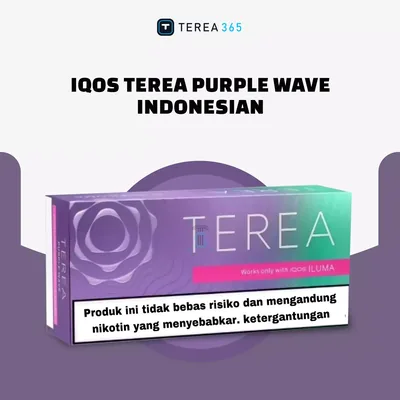
- TEREA Amber: smooth, warm tobacco with a slightly rich aroma
- TEREA Bronze: stronger, deeper tobacco taste with a bold feel
- TEREA Green Zing: light, fresh menthol with a citrusy cooling twist
- TEREA Purple Menthol: fresh and cooling feel
- TEREA Rich Regular: strong tobacco taste
- TEREA Smooth Regular: smooth, everyday option
Fixing Common Eco Mode Problems
Eco Mode usually works without any fuss, but a few small issues come up often enough in the app that they are worth knowing before you assume something is broken. Most of the time it is an outdated app, a weak Bluetooth connection, or simply expecting an instant battery change when Eco Mode actually works slowly in the background.
A simple update resolves most of these. If none of it works after that, the fault is more likely sitting on the app's side than yours, and that is one for IQOS support rather than something to keep troubleshooting alone.
- Eco Mode not showing: update the app and the device software
- Bluetooth not connecting: restart your phone and reconnect
- Settings not saving: log out of the app and log back in
- No battery change noticed: give it time, the effect builds over weeks
- App not syncing: reinstall the app or clear its cache
Daily Habits That Support Eco Mode and Battery Life
Eco Mode carries most of the load, but the habits around daily charging still matter. None of this is complicated, and most regular ILUMA i users end up doing it without thinking about it.
Most of the customers who tell us their device still performs well after a long time say the same thing: they do not overthink it, they charge normally, keep Eco Mode on, and let it run.
- Avoid overcharging overnight on a regular basis
- Charge before the battery fully drains rather than waiting until it cuts out
- Keep the device away from heat and direct sunlight
- Use the original charger and charging accessories only
- Store it somewhere dry when it is not in use
- Leave Eco Mode on for daily use
What to Do Next If You're Buying or Restocking in the UAE
If your ILUMA i is due for a TEREA restock, or you are choosing between the ILUMA i Prime, ILUMA i Standard and ILUMA i One, TEREA 365 delivers within 1-2 hours across Dubai, Sharjah and Ajman, and within 24 hours to the rest of the UAE. Order over WhatsApp on +971561652004 and pay cash or by card on delivery.
TEREA 365 is an independent UAE retailer of IQOS ILUMA devices, TEREA sticks, HEETS and RELX pods, and is not affiliated with IQOS, TEREA, HEETS, RELX or their manufacturers.
Frequently asked questions
How do I turn Eco Mode on for my IQOS ILUMA i?
How do I turn Eco Mode off if I want full power on every session?
Does Eco Mode change how a TEREA stick tastes?
Which IQOS ILUMA i models support Eco Mode?
What should I do if Eco Mode is not showing up in the app?
Do I need different TEREA sticks to use Eco Mode?
Related searches
iqos iluma i eco modeiqos iluma i batteryiqos iluma batteryiqos iluma i battery capacityiqos iluma battery capacityiqos iluma i flex batteryiqos iluma i battery mahiqos iluma prime batteryhow to turn eco mode onhow to disable eco mode on nesthow to use eco mode on nesthow to disable eco mode on ecobeehow to disable eco mode on ram 1500how to turn eco mode on ram 1500