IQOS ILUMA Reset: The 10-Second Fix for the i One, Standard and Prime
An IQOS ILUMA reset takes ten seconds and clears most of the glitches UAE owners run into: a stuck red light, an unresponsive touch screen, or charging lights that never progress. Here is the method for the ILUMA i One, ILUMA i Standard and ILUMA i Prime, and what it means if a reset does not fix it.
When Your IQOS ILUMA i Needs a Reset
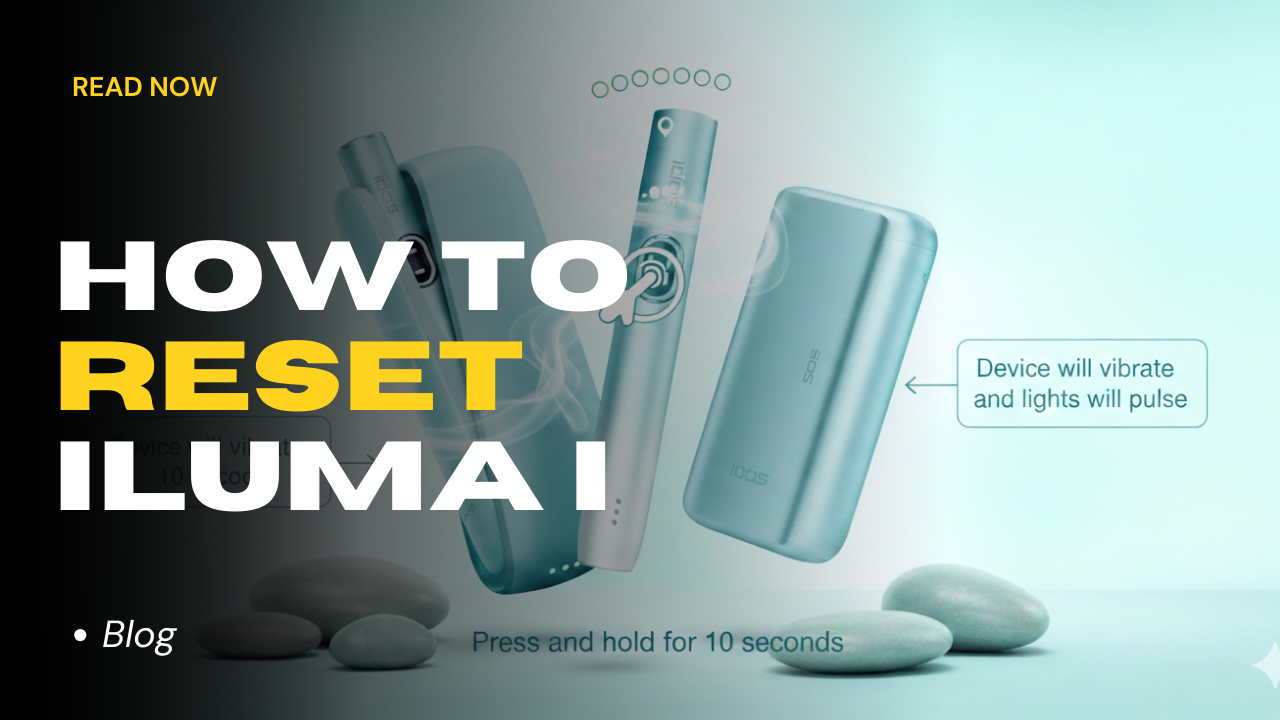
An IQOS ILUMA reset is the first thing worth trying before you queue at a service counter or message us asking whether your device is faulty. It clears the large majority of everyday ILUMA i problems, needs no app or tools, and takes about ten seconds from start to finish.
The ILUMA i range runs firmware that manages the touch screen and FlexPuff heating together, and that firmware can lose its footing after a fast swing from UAE heat into car or office air conditioning, or after a charge gets interrupted partway through. None of that means the hardware has failed. It usually just means the software needs a moment to restart and recheck itself.
A reset will not fix everything, and it is fair to say that upfront: it clears software hiccups, not a cracked screen, a snapped connector, or a battery that is simply worn out from months of daily use. It also only clears temporary glitches, so your usage history is not affected, meaning there is no downside to trying it before anything else. Most red lights and frozen screens genuinely are the firmware needing a restart, not the hardware failing.
- The holder or charger is showing a blinking red light
- The touch screen has stopped responding to a swipe
- The device is plugged in but the charging lights stop progressing
- Vapour output drops off suddenly, even with a fresh TEREA stick loaded
How to Reset the IQOS ILUMA i One
The ILUMA i One is a single all-in-one unit, so the whole reset happens on the device itself rather than through a separate charger. It is the quickest of the three to run through.
- Take the TEREA stick out of the heating chamber first
- Press and hold the main button for a full 10 seconds
- Let go once the status lights fade out completely
- Wait for the lights to blink twice and then slowly fade back in
- A single vibration confirms the reboot has finished
How to Reset the IQOS ILUMA i Standard and IQOS ILUMA i Prime
Both the ILUMA i Standard and the ILUMA i Prime split the hardware into a Holder and a Pocket Charger, which changes where the reset happens. Instead of holding a button on the Holder itself, you reset through the Pocket Charger while the Holder sits inside it, and that single action re-syncs the software on both parts at once, since the Holder has no reset control of its own.
- Seat the Holder inside the Pocket Charger and check that the contacts are clean
- Press and hold the Pocket Charger button for 10 seconds
- The touch screen and status lights will switch off
- Keep holding until the lights blink white twice and come back on
Not Sure Which ILUMA i You Have?
If you are not certain which reset applies to you, look at the device rather than the box. The ILUMA i One is one single piece with no separate charger, so it follows its own reset. The ILUMA i Standard and the ILUMA i Prime both use a Holder that clicks into a Pocket Charger, so they follow the charger-based reset instead.
It is a two-second check and it matters, because holding the wrong button on the wrong part for 10 seconds will not do anything useful. If your device has a Holder and a Pocket Charger, always reset through the charger with the Holder seated inside it, never by holding a button on the Holder alone.
Fixing a Touch Screen That Will Not Respond
Touch screen lag on the ILUMA i Standard and Prime is usually down to moisture or the wrong gesture rather than a fault, so it is worth ruling those out before you assume the device needs a reset.
UAE humidity leaves a thin film of moisture on fingertips that can block the touch signal, so dry your hands fully before swiping, especially after coming in from outside or from a car. It is also worth checking the gesture itself: activating Pause Mode needs a full swipe down the entire length of the screen, and a short tap in the middle of the screen will not register at all.
If the screen still ignores you after both of those checks, run the 10-second reset described above to recalibrate the sensors. That resolves it in most cases we see. If it does not, the screen itself may need a technician's look.
What It Means When the Red Light Will Not Clear
Not every red light is a software issue, and it is honest to say upfront that a reset will not always clear it.
If the light stays on after resetting, check the device's temperature first. The ILUMA i can throw a false alarm when it is running above 50°C or when it is too cold, and giving it around 20 minutes in a room-temperature, air-conditioned spot before trying again resolves most of these cases in our experience. This comes up more than owners expect in a Dubai summer, since a device left in direct sun or a hot car can pick up heat quickly.
If the red light is still there once the device has properly cooled down and you have reset it again, that points to a hardware fault, such as a failed battery or induction coil, rather than something a reset can fix. At that stage it is a device for a technician rather than a repeat reset.
UAE Habits That Cause Most Resets
Three habits explain a good share of the resets our customers in Dubai, Sharjah and across the UAE ask us about, and none of them are exotic. They are just what daily UAE conditions do to any small electronic device with an internal battery, and the fix each time is prevention rather than repair.
- Leaving the ILUMA i One or Prime on a car dashboard, where the metal induction strip inside can overheat and the software locks the device as a precaution
- Letting dust or pocket lint build up on the gold contacts on the holder base and inside the charger, the single most common cause of charging errors
- Charging with anything other than the official IQOS power adaptor, since third-party chargers can send inconsistent power that confuses the battery management system
Still Not Working? What to Do Next
If the device still will not heat, charge or respond after a reset and a proper cool-down period, that is usually a hardware problem rather than something fixable at home, and it is worth being honest about that rather than repeating the reset over and over.
TEREA 365 delivers IQOS ILUMA i devices and TEREA sticks across the UAE, with delivery in 1-2 hours in Dubai, Sharjah and Ajman and within 24 hours elsewhere in the country, cash or card on delivery. Message us on WhatsApp at +971561652004 if you would rather talk through what you are seeing before deciding whether it is a reset issue or a replacement.
Frequently asked questions
How do I reset an IQOS device?
How do I reset an IQOS ILUMA i One?
How do I reset an IQOS ILUMA i Prime?
Can I reset an IQOS stick, or is it the device I should be resetting?
How do I pause my IQOS ILUMA i mid-session?
Related searches
iqos iluma i resetiqos iluma prime secondiqos iluma prime resetiqos iluma red light fixiqos iluma i how to useiqos iluma how to useiqos iluma prime hard resetiqos terea health issueshow to reset iqoshow to reset my iqos iluma onehow to reset iqos iluma primehow to reset iqos iluma i onehow to reset iqos iluma onehow to reset iqos device