IQOS ILUMA i How to Use and Charge the One, Standard and Prime
This IQOS ILUMA i how to use and charge walkthrough covers every model, from sliding in a TEREA stick to reading the vibration and light cues that signal a session is ready or ending. You will also find charging times, common mistakes and the daily habits that keep the battery performing.
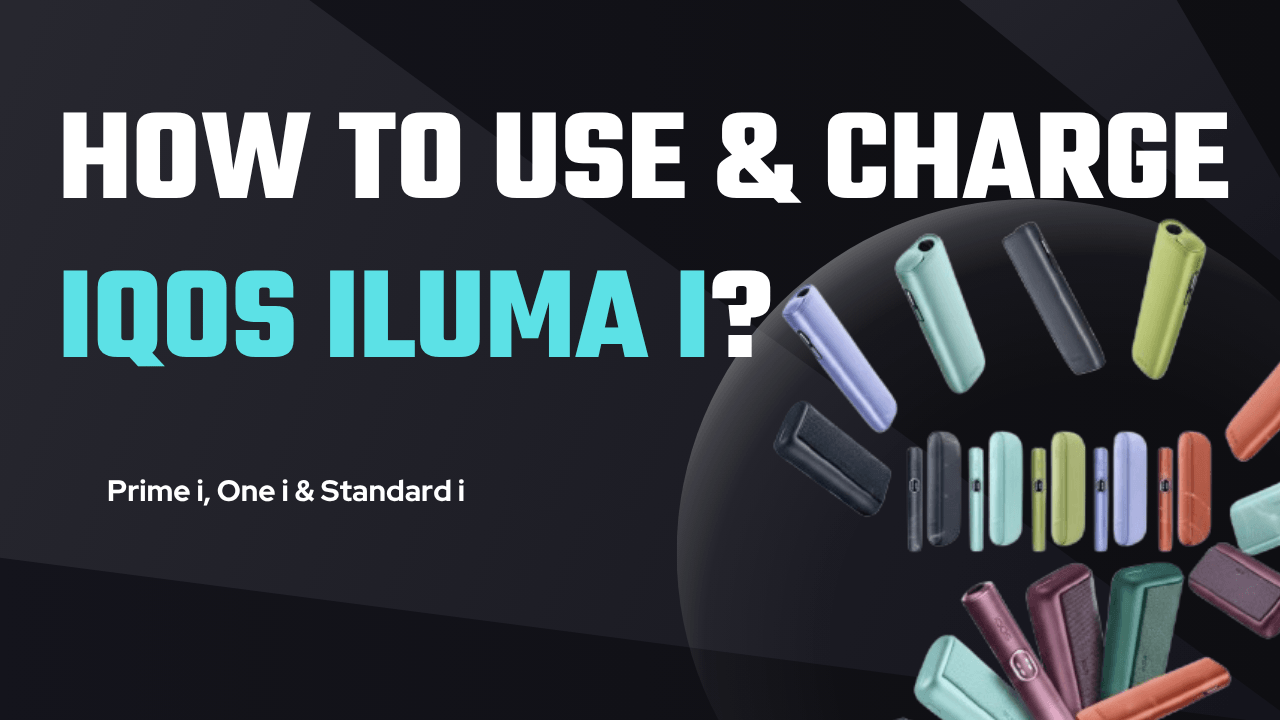
What Are the Differences Between the IQOS ILUMA i One, Standard and Prime?
All three devices in the range run on the SMARTCORE INDUCTION SYSTEM, the bladeless heating engine that works exclusively with TEREA sticks. What separates the three models is shape, portability and a couple of extra features rather than how the heating itself works.
Every model also carries Autostart, which begins heating the moment a stick is seated correctly, and FlexPuff, which can stretch a session by up to 4 extra puffs rather than forcing you into a whole new one.
- IQOS ILUMA i One: a single all-in-one unit built for portability and travel, rated for up to 20 consecutive uses per charge.
- IQOS ILUMA i Standard: a two-piece Holder and Pocket Charger setup, giving up to 2 consecutive sessions per Holder charge.
- IQOS ILUMA i Prime: the flagship of the range, with a premium finish, a wrap-around cover, a Touch Screen and Pause Mode.
What Do You Need Before Using an IQOS ILUMA i Device?
Three things decide whether an IQOS ILUMA i performs the way it should: the device itself, the sticks you feed it, and the charger you plug into it.
Buy the device from a verified retailer so you know it is a genuine IQOS unit, and only feed it TEREA sticks made for the ILUMA line. TEREA sticks are not compatible with older, bladed IQOS models, and pushing that pairing is a fast way to damage the device rather than get a session out of it.
Stick to the charging cable and adapter that shipped in the box. A third-party lead might appear to work, but it is also the most common reason an ILUMA i One or a Pocket Charger won't charge properly, or charges slower than it should.
None of this is about ceremony. It is about not paying twice, once for a stick that was never going to heat, and again for a repair a genuine cable and stick would have avoided.
- An authentic device bought from a verified retailer
- Genuine TEREA sticks made for the ILUMA line
- The original IQOS charging cable and adapter
How Do You Use the IQOS ILUMA i One?
The IQOS ILUMA i One is the simplest device in the range to use day to day, since the Holder and the charger are built into a single body.
- Open and insert: slide the top cap open and push a TEREA stick in gently until it reaches the line marked on the filter.
- Start: Autostart usually begins heating on its own; if it doesn't, hold the button for one second until you feel a short vibration.
- Draw: wait for a second vibration and a solid status light, then take slow, steady draws rather than quick pulls.
- End the session: two vibrations and pulsing lights mean the session is nearly done, roughly 30 seconds or 2 puffs left, though FlexPuff can stretch that by up to 4 more puffs.
- Remove: pull the used stick straight up and out, then slide the cap shut.
How Do You Use the IQOS ILUMA i Standard and Prime?
The Standard and Prime split the job between two parts: the Holder runs the session, and the Pocket Charger tops the Holder back up in between.
- Take the Holder out of the Pocket Charger and check its lights; two lit lights mean two consecutive uses are ready to go.
- Insert a TEREA stick up to the line marked on the filter.
- Start heating through Autostart, or press the Holder button for one second.
- Watch the Light Guide around the Touch Screen: it pulses slowly while heating and turns solid once the device is ready to draw on.
- Swipe down on the Touch Screen to check the session time remaining or to switch on Pause Mode.
- When the session ends, after two final vibrations, remove the stick and slot the Holder back into the Pocket Charger to recharge for next time.
How Long Does the IQOS ILUMA i One Take to Charge?
Plug the charging cable straight into the port on the device and connect the other end to the AC adapter. From completely empty, a full charge takes approximately 90 minutes.
The status strip on the device pulses while it charges and turns solid white once the battery is full. If the ILUMA i One won't charge at all, or seems unusually slow, check that you are using the original IQOS cable and adapter rather than a third-party one.
The 90-minute figure holds whether this is the device's first charge out of the box or its hundredth, as long as you are starting from empty.
How Long Does the IQOS ILUMA i Standard or Prime Take to Charge?
Plug the charging cable into the Pocket Charger. You can leave the Holder sitting inside the Pocket Charger while it charges, or take the Holder out and charge the Pocket Charger on its own.
A full charge of the Pocket Charger, from empty, takes approximately 135 minutes, or about two hours and fifteen minutes. The light strip pulses white while charging and shows all four lights solid white once it is fully charged, enough capacity for roughly 20 Holder uses.
For the best battery life over time, top up the Pocket Charger regularly rather than letting it run all the way down before you plug it in again. The same 135-minute estimate applies to the Pocket Charger's first charge and every one after it, provided you are starting from fully empty.
What Mistakes Damage an IQOS ILUMA i or Waste a Session?
Most damage and most wasted sessions trace back to one of four habits.
- Using old HEETS sticks: they don't carry the metal induction element the ILUMA system reads, so they simply won't work and can damage the device.
- Forcing a TEREA stick, whether it's Turquoise, Sun Pearl, Bronze or another variant, past the marked filter line instead of letting it sit gently while Autostart does the rest.
- Charging with non-approved cables or adapters, which can slow charging, cause overheating and wear the battery down faster, especially in UAE heat.
- Twisting the stick when pulling it out rather than lifting it straight up, which can spill tobacco residue inside the Holder.
How Do You Keep the Battery and Sticks Performing in UAE Heat?
Heat is the biggest threat to an IQOS ILUMA i battery in this climate, so never leave the device or TEREA sticks in a parked car or in direct sunlight.
- Charge the Pocket Charger daily so the Holder always has 2 sessions ready to go.
- Carry the device in a protective case or pouch, particularly the ILUMA i Prime, to keep dust and knocks away from the finish.
- Try a few different TEREA flavours, such as Turquoise, Sun Pearl or Bronze, to see which one suits your draw and taste.
Where Can You Order Genuine IQOS ILUMA i Devices and TEREA Sticks in the UAE?
TEREA 365 is an independent UAE retailer stocking the IQOS ILUMA i One, Standard and Prime alongside the full range of TEREA sticks, HEETS and RELX pods. We are not affiliated with IQOS, TEREA, HEETS or RELX; we simply source and deliver the genuine products under our own name.
Delivery runs 1-2 hours in Dubai, Sharjah and Ajman, and within 24 hours to the rest of the UAE, with payment by cash or card on delivery. To place an order or ask which model suits your routine, message us on WhatsApp at +971561652004.
Frequently asked questions
How do I use the IQOS ILUMA i for the first time?
How do I use the IQOS ILUMA i One?
How do I use the IQOS ILUMA i Standard?
How do I use the IQOS ILUMA i Prime?
How long does it take to charge an IQOS ILUMA i Prime?
How do I use TEREA sticks with the IQOS ILUMA i?
Related searches
iqos iluma how to useiqos iluma prime how to useiqos iluma i one how to useiqos iluma i japan how to useiqos iluma one how to useiqos iluma useiqos iluma i useiqos terea how to usehow to use iqos iluma ihow to use iqos ilumahow to. charge iqos iluma primehow to use iqos iluma primehow to use iqos iluma onehow to use iqos iluma i standard